Connect Your Business's Profile Page On A Review Platform (To Send Customers There To Leave Reviews)
In this example we will tell Review Multiplier that we have a profile on Yelp.com and we want to send customers there to leave reviews. The same process applies for adding any 3rd-party review platform profile.
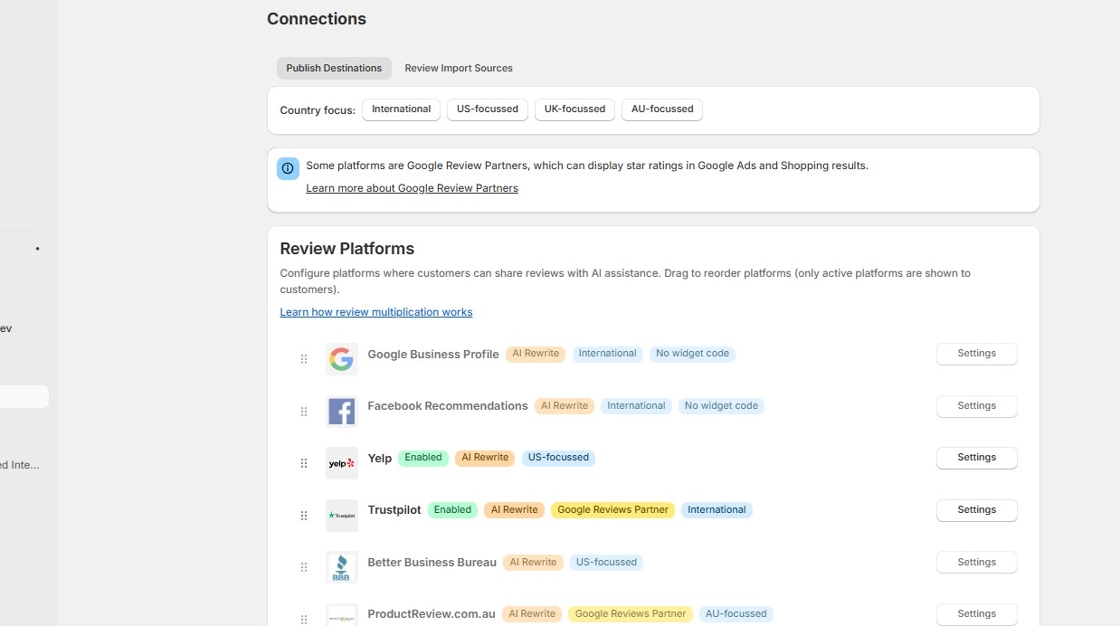
1. On the Connections page, on the "Publish Settings" tab, in this setup you can see that only Trustpilot has been configured so far. It is the only review platform which is not greyed out.
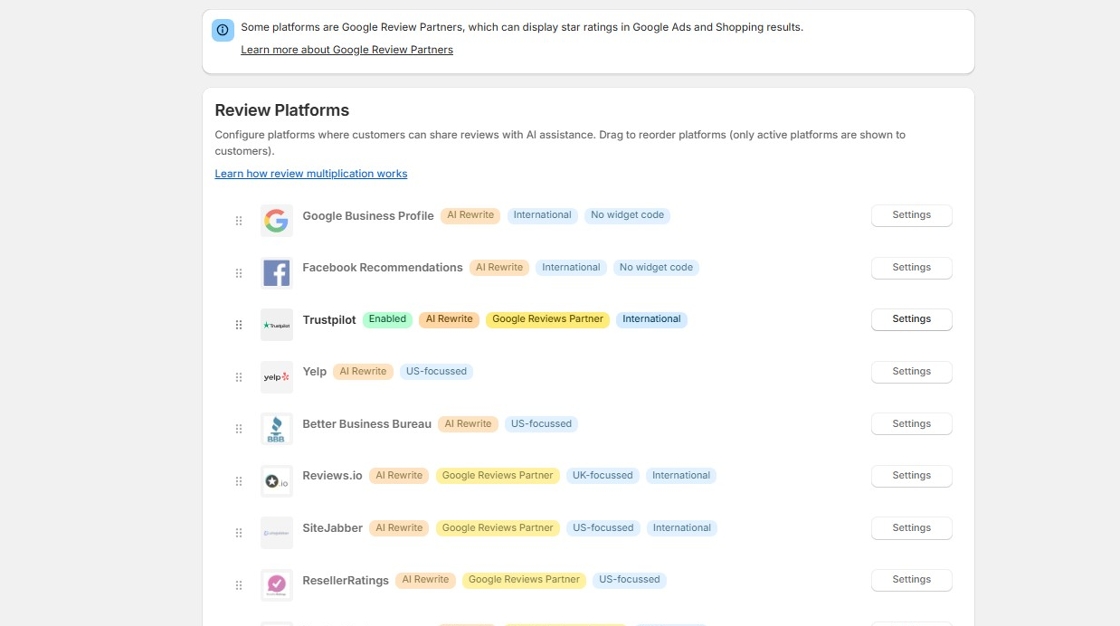
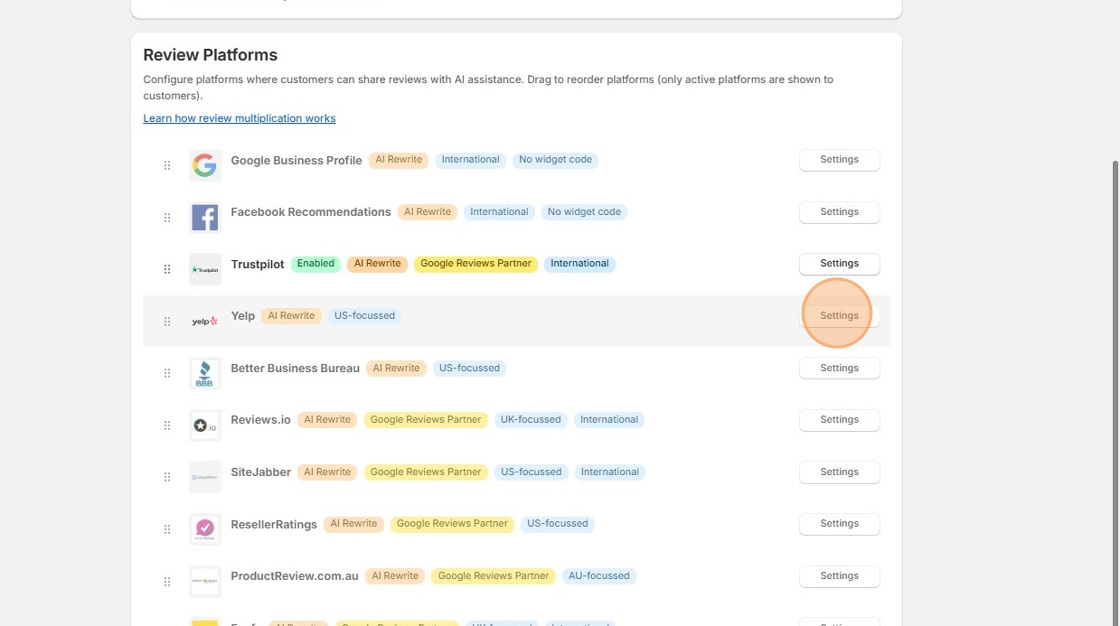
2. We will now configure Yelp as well for review publishing. Click the "Settings" button for the Yelp listing.
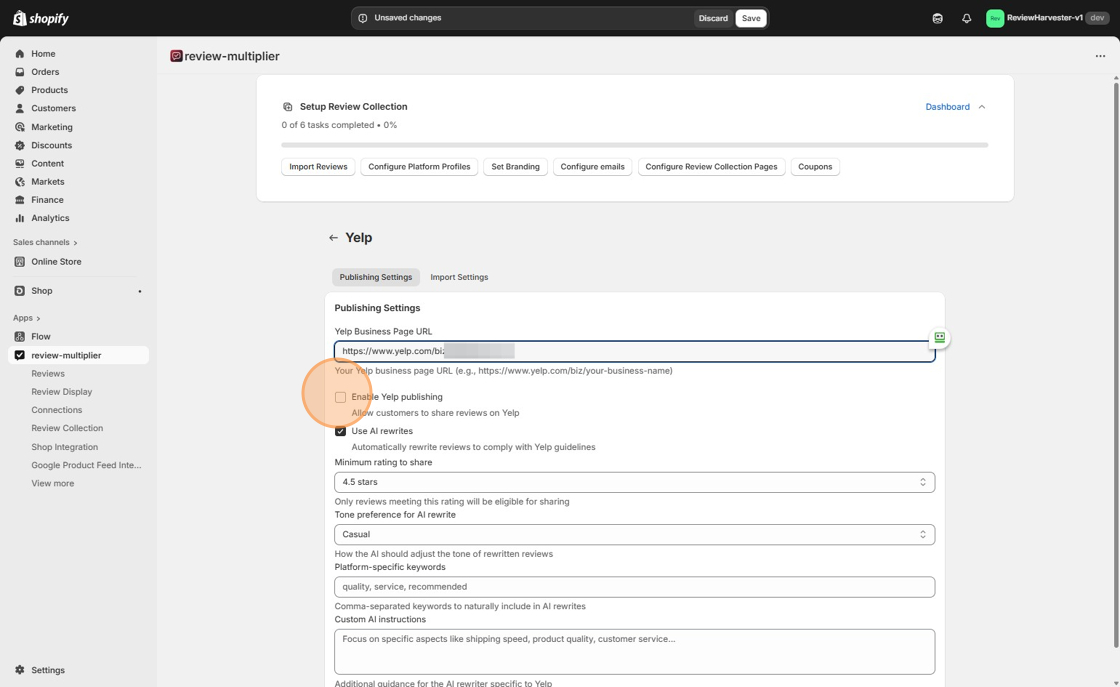
3. Click the "Yelp Business Page URL" field and type in the URL of your Yelp profile (this must be configured separately on yelp.com ).
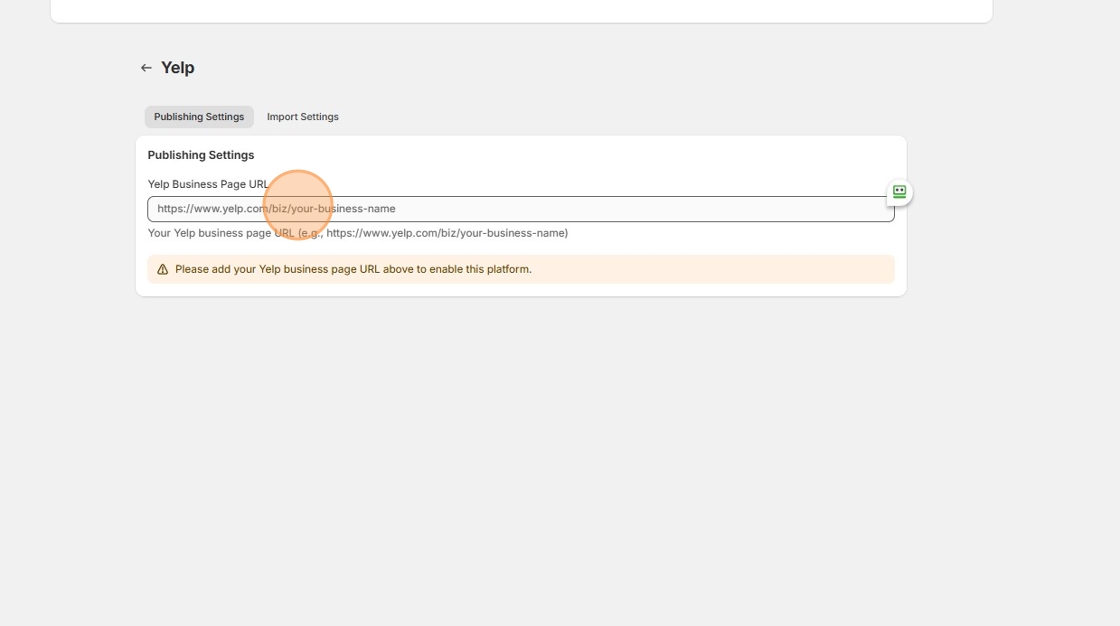
4. Click the "Enable Yelp publishing" field.
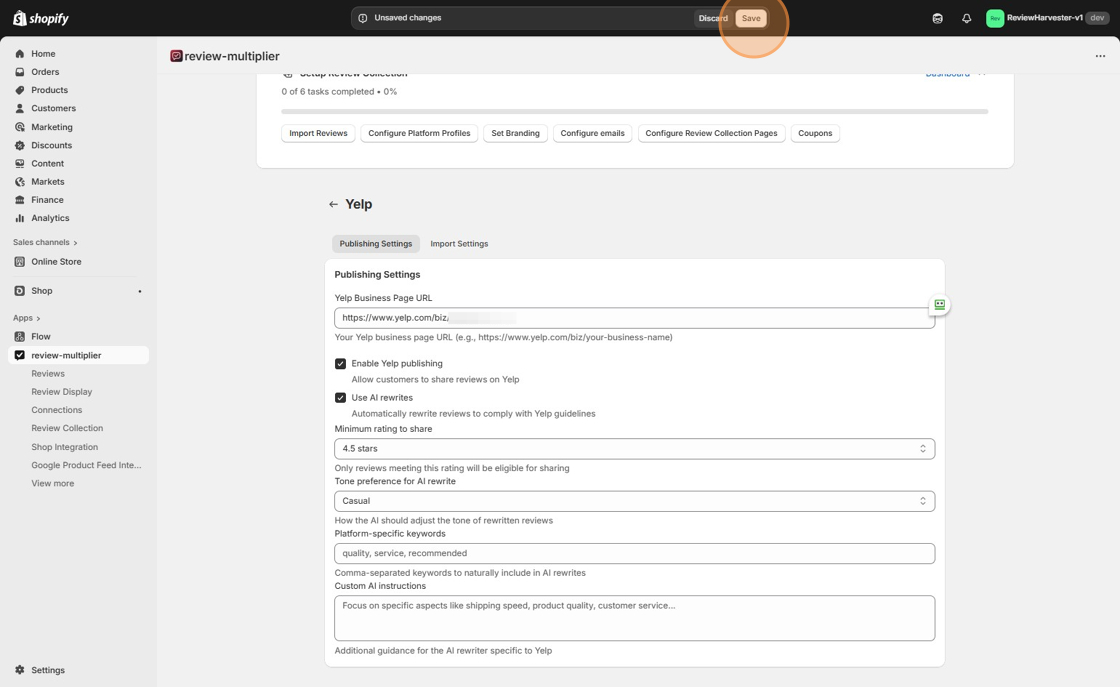
5. Click "Save"
6. This setup now means that both Trustpilot and Yelp are configured. This can be seen on the Connections page, where they are not greyed out.
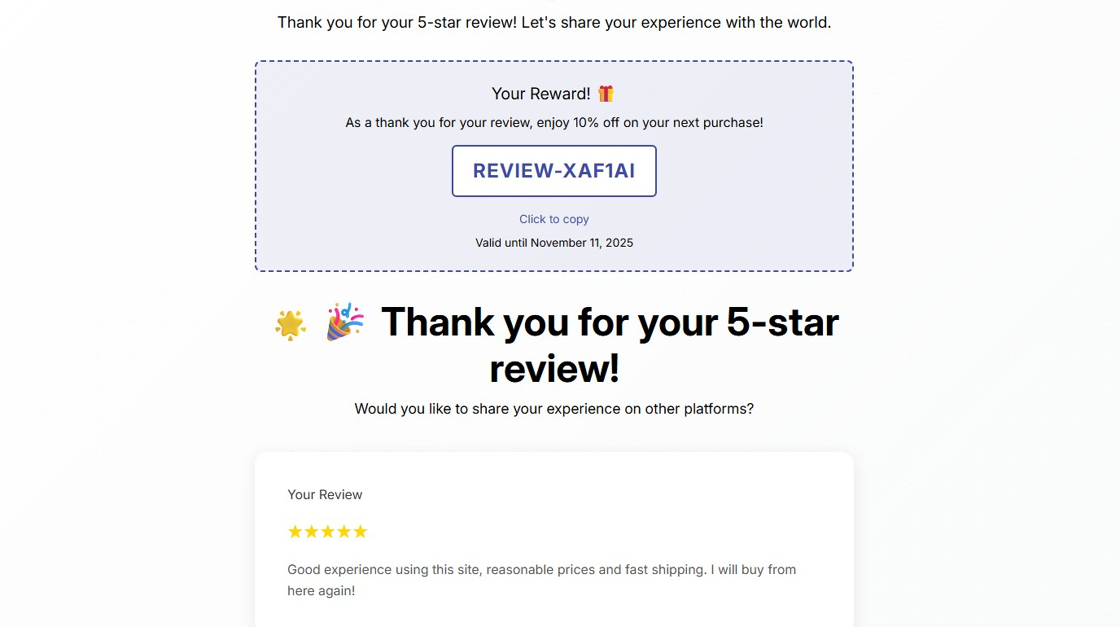
7. For your information: When a customer submits a review of your site on ShareYourOpinion, they will now be presented with the review multiplication screen "Would you like to share your experience on other platforms?" with reviews rewritten by AI, suggested for both Trustpilot and Yelp: